Upgraded — see Orderly
FilePilot MoeezTech has been upgraded to Orderly. Use Open Orderly product page below for the current app, or Get it on GitHub for the FilePilot source.
FilePilot MoeezTech
Free
FilePilot MoeezTech was the free Windows MVP for duplicates, rename, search, passwords, and activity. Upgraded to Orderly; source remains on GitHub.
Use the buttons above to download files or open links (each opens in a new tab when needed).
Media
How-to & feature videos
Click a thumbnail to watch full screen.
Details
Features
What FilePilot MoeezTech helped you do
- Find duplicate files and reclaim space without blind deleting
- Rename many files with rules you can preview first
- Search by name, size, and date filters that feel natural
- Generate passwords when you need them
- Keep a simple activity trail of recent work
- Runs locally—your files stay on your machine
- Upgraded to Orderly — open the Orderly product page
- Source available on GitHub
Compatibility
System requirements
Get the current app (Orderly):
- Open the Orderly product page for details, demo, and Store access
- FilePilot MoeezTech is no longer listed on the Microsoft Store
Get the FilePilot source (GitHub):
- Use Get it on GitHub on this page or open github.com/moeezshakir/filepilot-moeeztech
- Open
FilePilot.slnin Visual Studio, choose Release | x64, and build - Needs
Sciter_SDK(seesetup-sciter-sdk.ps1in the repo)
Requirements (to build/run from source):
- Windows 10 or Windows 11
- Visual Studio with C++ desktop workload
- Sciter SDK headers and
sciter.dll
Privacy: Orderly Privacy Policy
Overview
Full description
Your folders should work for you—not the other way around.
FilePilot MoeezTech started as a free Windows desktop toolkit for everyday file chaos: identical copies eating space, rename jobs that take forever, searches that miss what you need, and passwords you invent under pressure. Everything runs on your PC. No cloud upload of your files.
Upgraded to Orderly
FilePilot MoeezTech is no longer on the Microsoft Store. It has been upgraded to Orderly.
- Orderly product page — details, demo, screenshots, and how to get the current app
Source on GitHub
Builders and contributors can still open the FilePilot MoeezTech codebase:
github.com/moeezshakir/filepilot-moeeztech
What’s inside (MVP toolkit)
- Duplicates — Scan a folder, review identical sets, recycle or delete copies with intent
- Renamer — Stack rename rules, preview changes, then apply (with undo when you need it)
- Search — Folder + filters (size, modified, created) and a clear query you can refine
- Passwords — Generate strong passwords when you need them, with handy presets
- Activity — A simple trail of what you did so you’re not guessing later
- Settings — Theme and defaults that feel like your workspace
Privacy
File tools stay local. Details: Orderly Privacy Policy (the old FilePilot privacy URL redirects there).
More
Related products
Same category as this listing.
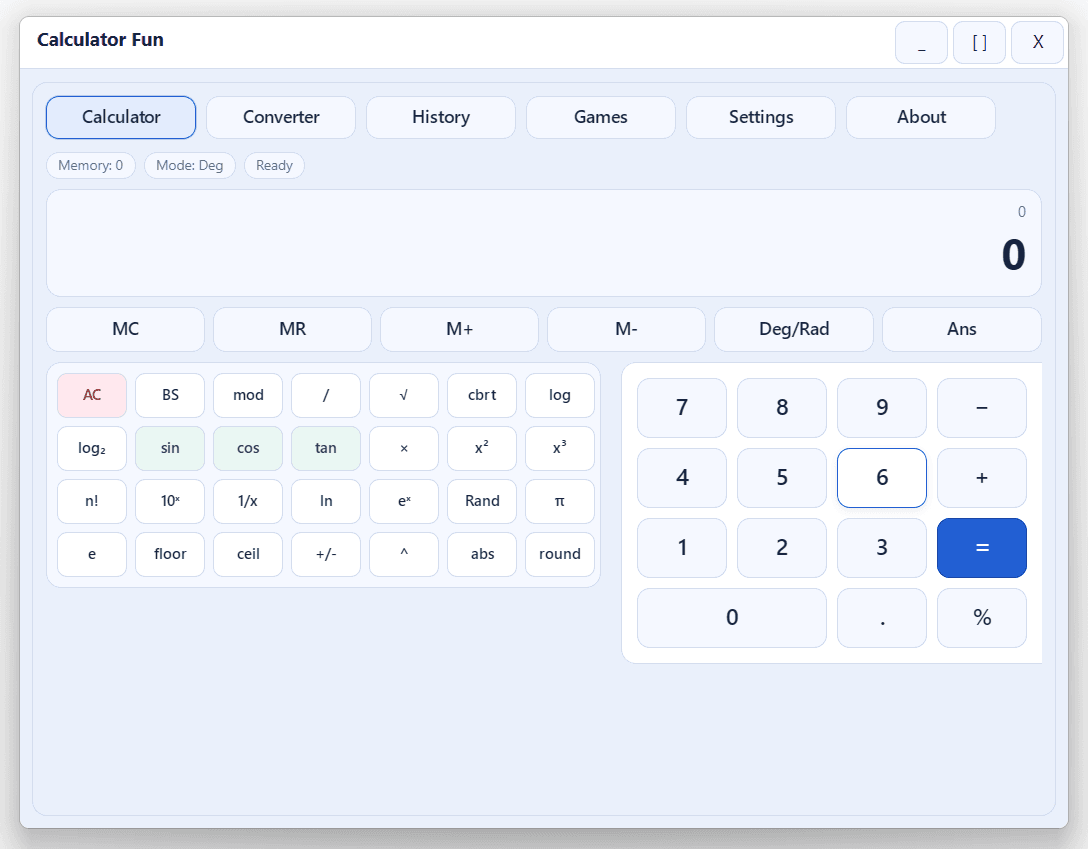
Calculator Fun
All-in-one Windows calculator and learning tool: scientific math, unit converter, history, themes, and built-in mini-games—fast, offline, and keyboard-friendly. Ideal for students, homework, and daily number work.
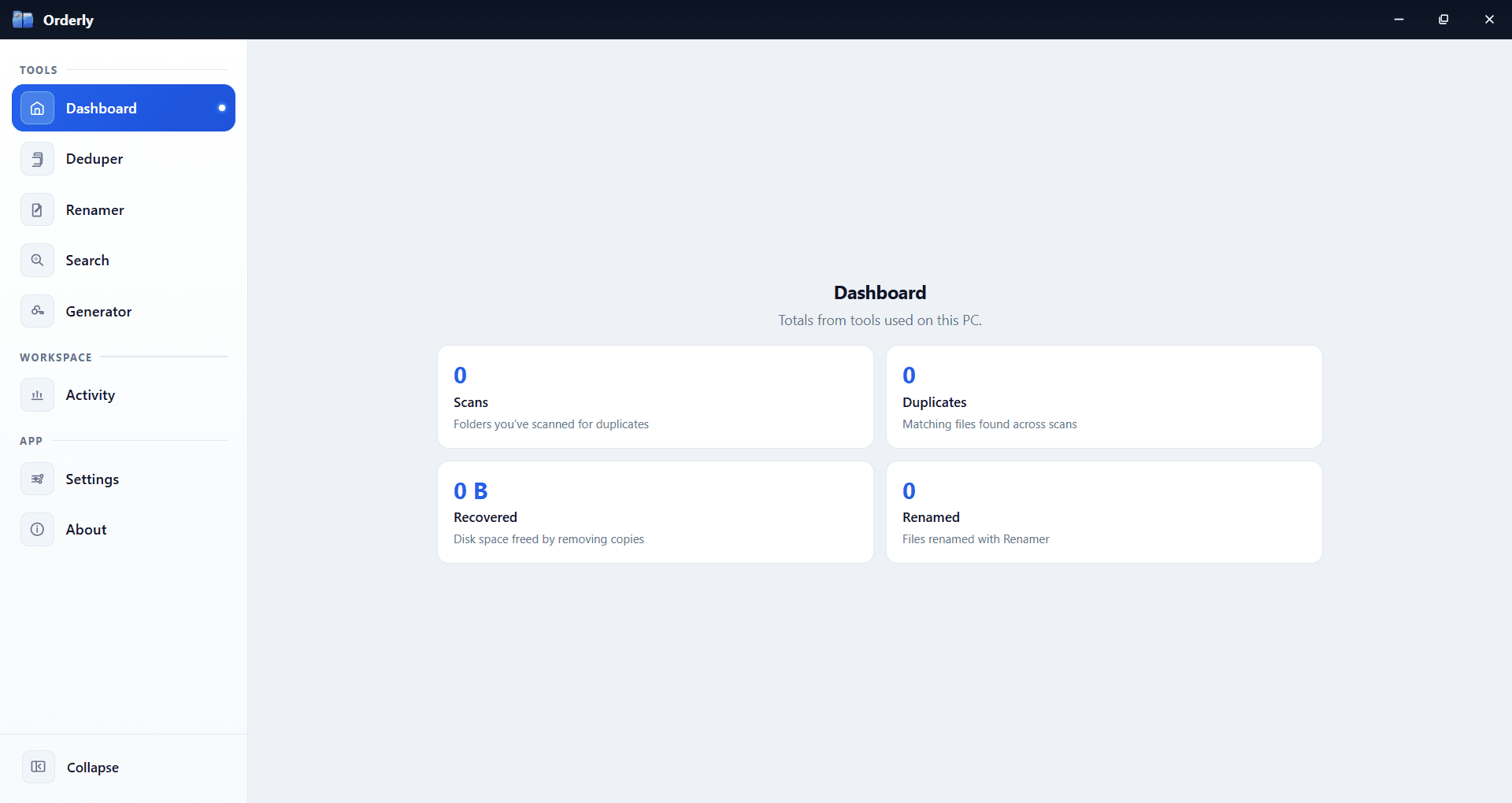
Orderly
Stop fighting your folders. Orderly is a Windows toolkit for duplicates, smart rename, filtered search, passwords, and activity—local on your PC. Available on Microsoft Store.
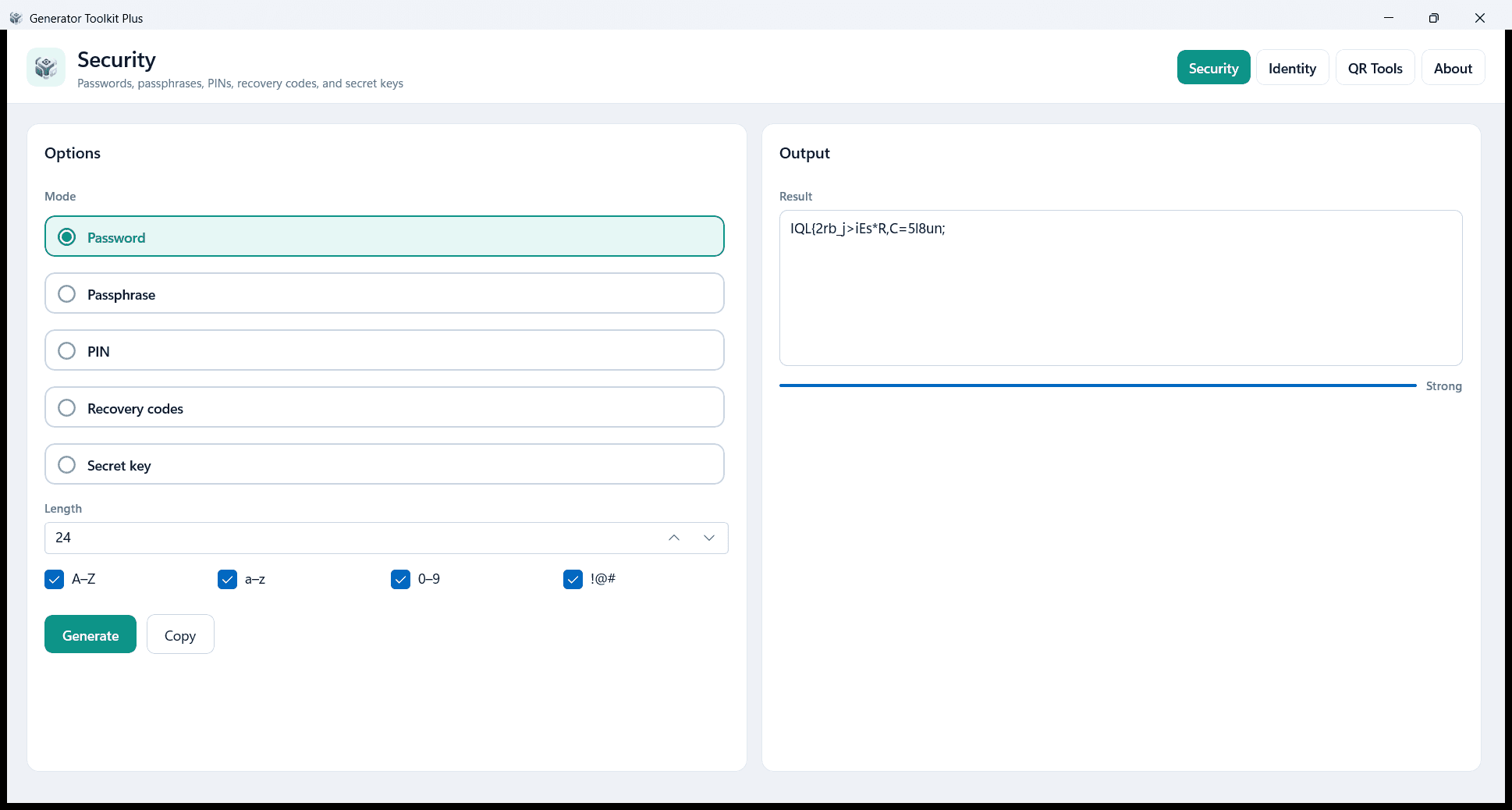
Generator Toolkit Plus
Create passwords, identity IDs, QR codes, and barcodes on your PC. Local and private — no account and no cloud. Free on Microsoft Store.